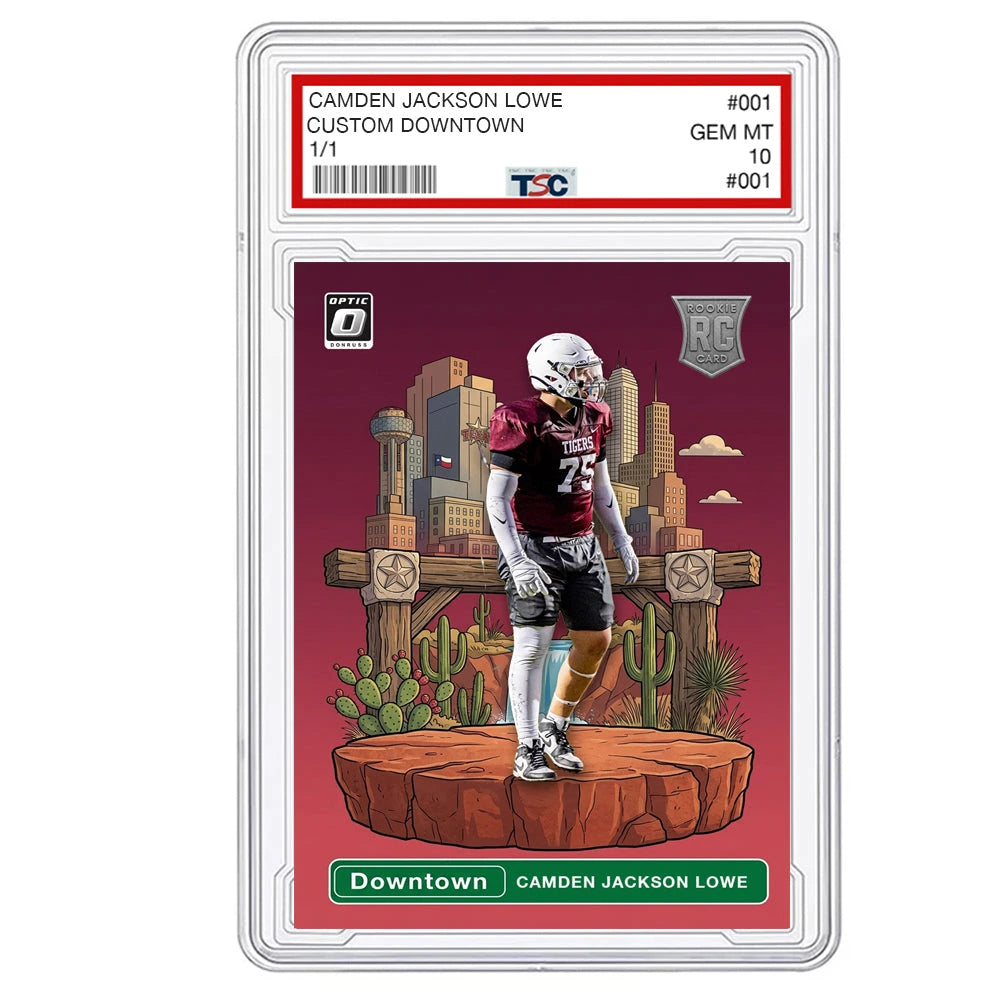
A great custom trading card starts with a photo that shows your player clearly. Whether you choose a Downtown scene, bold Kaboom artwork or a classic sports design, the right image helps the finished card feel personal.
Before you order, use this checklist to choose a photo you will love seeing on your card.
Start with a sharp original photo
Send the original photo from your phone or camera when you can. A screenshot, social media download or photo forwarded through a messaging app may lose detail. Zoom in on the face before uploading. If the eyes and facial features already look blurry, choose another image.
Use the highest quality version you have. Avoid beauty filters, heavy color effects and images with stickers over the player. Natural skin tones and clear details give the design a better starting point.
Use even lighting and a clear view of the player
Outdoor shade or soft window light usually makes it easier to see the face and uniform. Look for a photo without harsh shadows across the eyes or bright light washing out the face. The player should stand out from the background.
If you are taking a new photo, face the player toward the light, keep the camera steady and take several shots. Check the images before putting the phone away. A simple background can make the subject easier to identify.
Choose the pose for your card style
- Downtown: A full body photo gives room to feature the player within a personalized illustrated scene. Keep the entire head, hands and shoes in the frame if you want them included.
- Kaboom: Pick a strong pose with a clear face and visible uniform. An action pose or confident standing pose can work well with the bold artwork.
- Classic sports cards: Choose a photo where the player and the moment are easy to read. A sharp game photo or posed portrait can be a good starting point.
Browse our custom Downtown card and custom Kaboom card to see how the player fits into each design.
Watch for cropped hands, feet and equipment
A photo that cuts off a hand, shoe, bat or ball leaves less information for the design. For a full body card, step back far enough to leave a little space around the player. Keep important equipment visible and avoid another person standing in front of the subject.
You do not need a professional photo session. A clear phone photo with a complete view of the player can be a useful starting point.
Take a full-body sports photo with your phone
- Wipe the lens and use the normal photo mode. Start with the standard camera view instead of zooming in from far away.
- Find open shade or soft window light. Ask the player to face the light so you can see their expression clearly.
- Hold the phone upright around chest height and step back. Leave space above the head, below the shoes, and beside any bat, ball, glove, or stick.
- Have the player hold a comfortable, still sports pose. Keep their hands and equipment clear of their face, and take several photos instead of relying on one shot.
- Zoom in on the saved images to compare the face, jersey number, hands, and equipment. Choose the sharpest original file and upload that file without adding filters or a screenshot border.
For football, check whether the helmet casts a shadow over the eyes. If you want the face clearly visible, take a helmet-off option as well as the helmet-on pose and identify your preferred image in the order notes. For baseball or softball, leave room for the entire bat or glove. For basketball, keep the ball and both hands inside the frame.
A photo gives us the information available in the frame. Do not assume a cropped hand, hidden jersey number, or missing piece of equipment will appear exactly as intended. If you are choosing between a portrait and a full-body design, use our Downtown and Kaboom comparison guide to plan the pose before taking the photo.
Check the name, number and colors
Before submitting your order, double check the spelling of the player's name, jersey number and any details requested on the product page. If the uniform in the photo differs from the colors you want on the card, include that information in the order details.
For a team project, use a similar camera angle and lighting for each player. Keep each original photo easy to identify so the correct image stays paired with the correct name.
Review your mockup before printing
Your photo is only one part of the card. When your mockup arrives, check the name, number, colors and overall design together. Look closely at the face and any equipment that matters to you. Respond with clear, specific feedback if a detail needs attention.
The product listing explains the proof process and what is included with your chosen style. Review those details before ordering so you know what to expect.
Your quick photo checklist
- The face is sharp and easy to see.
- The image is an original file with no heavy filters.
- The lighting shows the player clearly.
- The pose matches the style you want.
- The full player and important equipment are visible where needed.
- The player's name and order details are correct.
Have your photo ready? Explore our custom trading cards and choose the design that fits your player.